


Below Items Available
Errorsolutions QJ3005XE DC Power Supply
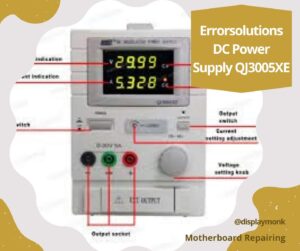
Errorsolutions QJ3005XE DC Power Supply. Continuous working under full load conditions; Constant Current and Constant Voltage Category: DC POWER SUPPLY
For purchase WhatsApp 8087435056. Google payments accepted.
OSFT Hoki 536 soldering station 936 Series soldering machine
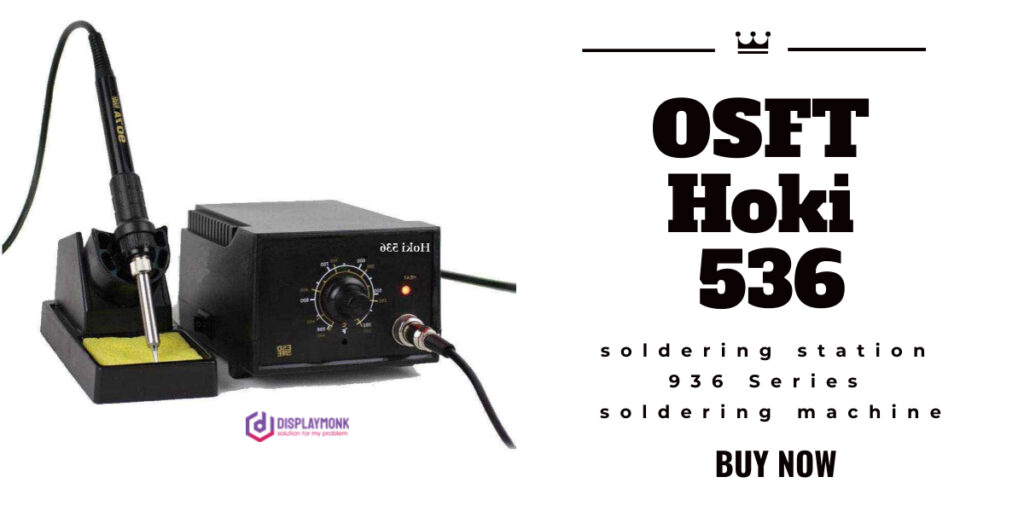
ut this item
| Brand | OSFT |
| Item Weight | 200 Grams |
| Item Dimensions LxWxH | 10 x 12 x 14 Centimeters |
| Wattage | 60 Watts |
Specifications for this item
| Brand Name | OSFT |
|---|---|
| Item Weight | 200 grams |
| Model Number | Hoki 536 |
| Number of Items | 3 |
| Part Number | HOKI 936 Series |
| Wattage | 60.00 watts |
For purchase WhatsApp 8087435056. Google payments accepted.
Other Tools for laptop desktop
laptop desktop repairing tools like BIOS programmer , dc power supply machine, smd machine,soldering iron,microscope,dc connector, scrow driver, multimeter,magnifire glass,bga paste,opner,desodring iron,wire cutter etc
Debugg Card
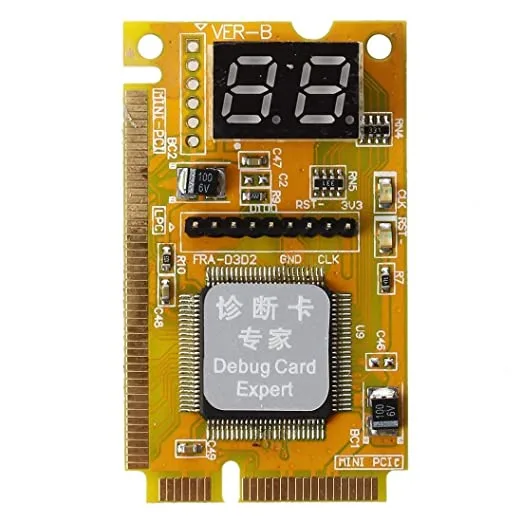
3IN1 MINI PCI- PCI-E LPC LAPTOP ANALYZER TESTER DIAGNOSTIC CARD POST TEST FOR DESKTOP LAPTOP DEBUG DIAGNOSTIC
It is used to test motherboard problems It is fit for desktop with PCI to which POST codes is output
PRICE:
₹749
Severity Score:
good
Mobile repairing tools
mobile repairing tools purchase like smd machine, multimeter ,soldering iron,dc power supply machine, touch seprator machine,scrow driver,twizer ,lamp,bursh,nose pilase,etc
laptop desktop repairing tools
Introduction
i am going to talk about the fundamental tools which are needed for a computer repair technician. here i’m able to listing the not unusual names of the tools then, i can deliver a quick description of that tool’s usages referring to laptop repairing
1. Screwdrivers for pc
This isn’t the common sized screwdriver, as that could be too massive for the tiny
screws used on laptops these days.
this is the micro-sized screwdriver, which can be offered at your nearby home improvement shop.
i actually use an all-in-one screwdriver that homes the greater recommendations within the screwdriver itself.
Then, I additionally use the screwdriver set from an Eyeglass restore kit.
you should purchase one from your nearby auto parts keep (ask the clerk for assistance in finding one) and you may absolutely want the multiple tip percent to allow exclusive sizes for one of a kind laptop models.
2. Mini Pliers
I advocate that you buy mini needle nosed pliers due to the fact they may be simpler to apply on the
micro sized additives that make up the laptop.
The pliers i take advantage of are three inches lengthy, I discover that the ordinary sized pliers are manner too huge and do no longer reach into sure areas that the mini can.
I recommend that you buy mini needle nosed pliers because they’re simpler to use on the
micro sized additives that make up the laptop.
The pliers i use are three inches lengthy, I find that the normal sized pliers are way too large and do no longer reach into positive regions that the mini can.
three.
3. Scissors
Yeah, scissors, we want scissors. The smaller the higher while acquiring your
scissors.
i take advantage of haircutting scissors due to the fact they may be small and the cutting suggestions are thin and slender.
4. electrical Tape
that is used to wrap cables and wires and used to cozy or flatten twine or cable tracks on or inside the pc.
I strive no longer to use this on twine or cable wrapping if possible because i’ve located that over the years the tape will slowly unravel and might grow to be ―sticky on the outer aspect.
5. cut back Wrap Tubing
these can generally be discovered in kind of packs, the larger of the sizes might be the one you operate most generally in computer repair.
those are positioned over the restore area on the cord or cable, they are basically rubber tubes that you reduce to your in particular wished period, then warmness the tube to shrink it to the size of the cord or cable being repaired.
6. Copper Foil Tape
A less common item used, though you may subsequently want this in case you are repairing laptops on a everyday foundation.
this will be used for motherboard PCB repair and more generally used for DC Jack C-ring replacement/repair.
7. Adjustable Pliers
that is a much less normally used device, though it will be wanted at instances.
8. Liquid Flux
will hardly ever use this on a DC Jack repair to softly wiggle the jack loose from the desoldered touch pads.
you will find other uses for this device so it is a great device to feature on your series.
For this tool, I advise which you get each a paste shape and the liquid PEN shape.
each are conveniently to be had at the local stores for a small fee, yet are hard to discover locally at a store, you could attempt purchasing at Radio Shack for Flux Paste, but dubious they have the flux pens.
9. Plastic Prying equipment
these could be needed for nearly each laptop restore system.
when able, you will always use plastic over metallic to disassemble or work at the laptop or any electronic thing.
there are numerous sorts which might be used and wished.
A guitar select is the maximum used device, now not a flimsy pick however as an alternative a barely thicker guitar pick which can withhold bending back and forth severa times.
10. Plastic/metallic Epoxy Glue
you may find many kinds of this product and could ought to choose the pleasant one for your self, I generally use the Black/clean blend…
because it has a longer drying time, it’ll allow greater energy through the years and hold up to warmness publicity.
this may be used in lots of regions of the pc, and being that a pc motherboard is SelfGrounded…
it is able to be used without delay on the PCB to cover additives or traces.
A not unusual use for this Epoxy is for DC Jack repair, because it could be used inside the last step and implemented to the jacks rear end and sides to help relaxed it to the motherboard.
also, this could be used to brace the Jack while the pc lower cases DC Jack keeping cage breaks (a common issue for Toshiba – more recent version laptops).
11. Thermal Paste
you will most effective be the use of Silver thermal paste in a computer, in no way Ceramic Paste.
Laptops will use 2 cooling sources…. either Silver paste or a thermal pad.
Pads might be hard to repurchase, and silver thermal paste might be easily to be had for sale everywhere.
If a element or thing firstly used a thermal pad, it’s far fantastically encouraged that you preserve using a pad and not transfer it out to the usage of paste…
these pads are also used to cowl a gap that is left for that unique element for thermal enlargement and contraction.
12. Soldering Iron of 30 to 50 Watt
you could use any emblem of these and they may be typically disposable.
I advise which you do dispose of the less expensive soldering irons after 10 or so uses or get yourself some Tinner to refresh the tip.
I do endorse a 50 watt iron for pc issue restore because it will permit for better ―the glide of the solder due to the better temperature output.
13. Solder
The common Rosin core Solder will do, get your self 1.0mm solder, any thicker and it’s going to apply to closely.
14. Toothbrush
This, accept as true with it or not, is the second maximum used device in computer restore.
yes. A toothbrush… you will use this on each and every laptop you restore.
Why you ask? The toothbrush is used to clean any and all parts and components in and at the laptop.
cleansing the laptop elements as your restore them is negative to the toughness of the computer’s existence.
it is used to easy the keyboard, the motherboard, and any case component. extra distinctive usages will follow during this book and ought to be carried out as instructed.
15. Toothpicks
these have many uses and are on hand device to have nearby.
Used to use fluxes, used to use epoxies, and also can be used to assist plug or unplug sure ribbon cables or skinny twine(s).
16. Circuit Board cleaning answer/WD40
This solvent is used to smooth the motherboard.
WD40 is greater with ease to be had to purchase and might suffice.
once more, i can additionally give an explanation for how to properly use WD40 to easy components/dispose of flux, and so on.
17. skinny Tipped Black permanent Marker
that is used frequently to mark screw holes or to mark the regions of damage at the laptop’s parts.
18. Multi-meter
this could be bought at your local domestic improvement save, and you’ll discover a extensive form of great picks.
For a beginner, it is adequate to buy the most inexpensive Multi-meter to study its uses and get yourself up to speed with it.
19. heat Gun
The higher the great the better the final outcomes of your upkeep may be.
On common, you want to apply at least a warmness gun with switchable settings…
One so as to produce a temperature of seven hundred to 800 degrees.
i take advantage of an RYOBI warmth gun, 120v, 11a, Temp: 2 hundred-1100 levels Fahrenheit.
20. warmness Gun upload On tips
you will find for sale at any nearby electrical store or the web, guidelines for the warmth gun…
these are the same or similar to the guidelines used in professional remodel stations (I’ll explain what a rework Station is later ).
There are a variety of distinctive hints you could purchase and a variety of one-of-a-kind sizes to pick from.
you’ll purchase these in keeping with your particular wishes.
I in my view use the Cone telescoping hints and the square GPU protecting tips.
We are the top shop in India for laptop chip level repair.