• Skip to primary navigation
  • Skip to main content
  • Skip to primary sidebar
  • Skip to footer

DisplayMonk

Solution to your problem

  • Home
    • Privacy Policy
  • About Us
  • Repair Tips
  • Schematics Bios
  • Course
  • Online Jobs
  • Tools
  • Enquiry / Contact
Home » Laptop Motherboard Repair » Page 3

Laptop Motherboard Repair

Laptop Motherboard Digital Electronics

April 5, 2022 by displaymonk

Laptop Motherboard Digital Electronics

In motherboard repairing whether it’s a laptop motherboard or mobile mother or any other motherboard, there are digital electronics present with it. This digital electronics drives the function of laptop repairing.


States of digital electronics

digital signals


Digital SIgnals have two basic states:

  • 1 (logic “high”, or H, or “on”)
  • 0 (logic “low”, or L, or “off”)

Digital values are in binary format, which also means 2 states.

A good example of binary is light. (on or off signal).

Light On Off


States of digital electronics in laptop repair

analog and digital signals


There are moreover two types of states in digital electronics,

  1. Analog Signal
  2. Digital Signal

Let’s see them one by one in the below paragraph.

In this paragraph, we are going to see what is an analog signal. Analog systems process time-varying signals that can take any value across a continuous range of voltages in circuits.

Moreover, Digital Systems process time-varying signals that can take on only one of two discrete values of voltages in circuits. Their discrete values are called 1 and 0. which are also called HIGH and LOW.

Ideally “no voltage” (e.g., 0v) represented as 0 and “full source voltage” (e.g., 5v) represented as 1.

Realistically “low voltage” (e.g. <1v) represents as 0 and “high voltage” (e.g. >4v) represents as 1.


How we achieve these discrete values in laptop motherboard digital electronics

electronic switch transistor

We achieve these discrete values in digital systems by using switches. We use transistor switches, which operate at high speed, electronically however in a smaller size.

The basic digital devices are called gates. Gates as their name suggests allow or block the flow of digital information. A gate has one or more inputs and produces an output depending on the input(s).

A gate is called a combinational circuit. Their most important gates are AND, OR, NOT.


You can also check for which are components we check for digital signals in the laptop motherboard.


thank you for your visit…


Filed Under: laptop desktop chip level repair help guide Tagged With: laptop motherboard digital electronics, Laptop Motherboard Repair, laptop motherboard repair guide

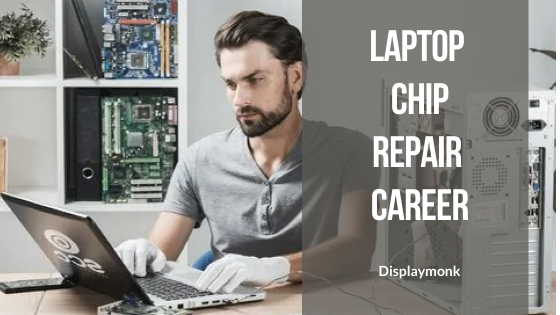
Laptop Chip Level Repair Career Guide

March 31, 2022 by displaymonk

laptop chip level repair career guide


Guidance and help are a must to start to know about how to laptop motherboard repair. The most common information is for a Laptop Repair Work Career. To be a good laptop chip level repairperson you must get this laptop chip level repair career guide.

The laptop can be repaired at any time but need to have skill for it! Laptops have different categories of repairing like software level and we will also learn how to be a laptop repairman, card level which means replacing the parts, and laptop chip level repair career which is also known as signal level repairing.


How To Start Career In A Laptop Chip Level Repair?

you must be familiar with the laptop motherboards and the working of its different parts. This can be learned by taking online or offline classes at the institution.

A good laptop repairman can troubleshoot any error within laptop parts and it’s the motherboard.

The exact error finding and troubleshooting of it play an important role in the skill of a laptop repairman.

You can update your knowledge through the institute or online classes which will increase your chances of getting a good fix on laptop repair.


Is a laptop repairing job really worth it? 

A laptop repairman earns around $9 per hour. It can change from 15$ to 30$ depending on the skill you have for repairing laptops and laptop motherboards.

The job at top multinational companies like Dell, HP, and Samsung has the highest salary and scope in this field.

For a normal laptop repairing job at the retail store. There is no minimum education requirement for entering. Only how to learn laptop/desktop chip repairing will be helpful at the beginning and you will learn as you will get experience and work.


The Difficulty Level Of A Laptop Repair Work Career?

The career of a laptop repairman is different in the different sectors.

The average income for transcriptionists per month is $150 aka 10,000 rupees. You can learn new chip-level courses to increase the payment.


Benefits and Disadvantages Of Being A Laptop Repairman?

Benefits of laptop repairing professional:

  • Get a 9-7 fixed-job – As you are working with some shops with various laptop models and motherboards. You will get a good 9-7 job available near your location.
  • You will get good job satisfaction – There are not many laptop chip level repairmen available currently, you can get good money for laptop motherboards. At the start only you will have to sacrifice time and money to learn laptop repairing. You will get benefits from this sacrifice for time and money in the future with a good return.

The disadvantage of laptop repairing professionals:

  • Have to work hard to troubleshoot –
  • As working for troubleshooting the laptop problem is hard work. For beginners, if you are not bored with working hard for making a motherboard work you can consider this career.
  • You have to take responsibility for the laptop – You have been expected to take ownership of repairing it. If anything goes wrong with repairing any laptop, you will look less trustworthy in front of your clients.
  • Will have to learn always – Without updating knowledge, it will be difficult to solve new laptop problems. In that case, you should be going for a site like us.


What qualification is required to do a Laptop chip level repair career?

The basic to advance knowledge of electronics components will help you if not all. You must have an eagerness to succeed abuse you can have multiple times of fail in laptop repairing. Your eagerness to succeed will drive you to be a successful laptop chip-level repair person.


How much time is required to be chip level laptop repairman?

The time required is 6 months. I consider 3 months or less of training and 3 months of hands-on practice with different types of testing approaches. Then it’s up to you to dedicate to laptop repair.


Is it very difficult?

Yes, It is quite difficult not most. You have to be persistent to succeed in laptop repairing. You must have a wide range of knowledge of laptop parts and repairing to be successful in this field. It is not very difficult if you can do it consistently. There are some components like Resister, Capacitor, Coil, Transformer, Diode, Crystal, Transister, Mosfet you must study before starting the repair.


What is the income if I complete this course?

A good laptop repairman can earn around 120$ means around 8000 rs. at the start in India or worldwide. It is required for you to have good experience and clean skills to get a proper hike. The work should be good the laptop must be repaired for getting payment. But with persistence and hard work you can achieve it.


Tools required for laptop repairing

Any technician is not complete without the tools he uses. For leptop preparing especially for laptop chip level repairing some of the tools, you must have to repair the laptop motherboard. Obviously, you will not try any cheap substitute which can harm you (yes it can harm you) or your costly motherboard. Customers also come to a while so they require quality service. If you will not give another next person will give. There is competition in the market for laptop repairing. The following are tools used mostly for laptop chip level repair:

  1. A digital multimeter
  2. Twissers
  3. Hot Air Gun
  4. DC Power Supply
  5. Good Quality Flux (as you don’t want to damage your lungs)
  6. BGA Machine
  7. An Oscilloscope
  8. BGA Rework Station (if possible)
  9. Desoldering Pump
  10. Diagnostic Card
  11. Mini BIOS Programmer (non compulsary)
  12. SMD Machine
  13. SMD Tester (not mandatory)
  14. Universal BIOS Programmer
  15. USB Digital Microscope (noncompulsory)


Where I can apply for basic to advance levels of training for laptop chip level repairing?

We teach laptop repairing. You can WhatsApp us with your name, age, location, and payment details so we can enroll you. We are basically Mumbai-based. You can come here too for in-house learning laptop chip level repairing. We also offer online learning sessions.

for More information Whatsapp 8087435056 or email us at prasadbakare@gmail.com.


You can also check the basics for laptop repairing.


thank you for your visit…


Filed Under: laptop desktop chip level repair help guide Tagged With: Laptop Chip Level Repair Work Career, Laptop Motherboard Repair, laptop motherboard repair guide

Repair A Dead Laptop – DisplayMonk

March 30, 2022 by displaymonk


There can be cases when you find out your laptop is not working at all. We have all gone through the same phase. This is called a Dead laptop condition. we can fix it by repair a dead laptop – displaymonk.

Here are some steps and tips to follow to repair your Dead laptop as a laptop chip level repairman or enthusiast.


Guide for repairing a dead laptop :

Below is the guide for repairing a dead laptop.

Check 18Volt current at current sensing resister

The current sensing resistor is the gateway from the laptop input battery section to go through all laptop components.

If you found that this section not working as usual then go for check-in for Volt in section MOSFET or Vin chip.


Check 3Volt at SIO VCC or EC BIOS pin no. 8

The next step for you to perform is checking 3volt at the SIO VCC pin or pin no. 8 of EC bios. Check if 3volt current coming or EC bios pin no.8 giving current using a multimeter.

A multimeter is an instrument to measure the current in the circuit. If it’s not working properly then go for checking always voltage section which is the 3.3v and 5v sections.


Check the power button in 3v to 0v variation

The power button in a laptop is the one that provides a gateway of current to the next circuits in the laptop. Check for variation in multimeter 3v to 0v. If it’s not showing the variation then mostly your power button is bad. You can replace it or repair it with a technician.


Check for RSMRST (resume reset) for 3volt and PM-PWRBTN

In laptop chip level repair it is very important to have reset signals to work. PM PWRBTN is the signal to check for and also resume reset signal RSMRST for 3v. IF it’s not happening check EC RTS for 3v and also checks the 32.7KHZ clock for working.

IF it’s not showing or running check for signals :

  1. THRMTRIP signal
  2. ACIN Signal
  3. LID SENSER signal.

If it is failing to do so then do flash the EC bios ( there are two kinds of bios ). If even if the problem persists then you can conclude that SIO is bad.


Check SLP_S3(SUSB) and SLP_S4(SUSC)

Check for SLP_S3 which is also called SUSB and SLP_S4 which is called the SUSC signal. IF they don’t found then go for the VCCDSW3.3 signal. If the VCCDSW3.3 signal not coming then check for why it not coming.

VCCDSW3.3 coming but not SPL_# and SPL_4 which are important signals for the laptop not coming. then go for checking the RTC RESET signal and clock of the RTC crystal.

the previous step not coming then do check for 32.7khz crystal. If RTC RESET and RTC clock is coming the check for DPWROK signal is coming. If the signal is coming then heat the motherboard by putting it into OVEN or BGA.

IF done all previous all things still SLP_S3 and SLP_S4 signal not coming then you can conclude that PCH is bad.


Check SUSP, SYSON, VR_ON signal

Check for SUSP, SYSOn, VR_ON signals. May all laptops not have all of these signals. Do check signals which are available.

If any of the signals are not coming then you can conclude that SIO is bad.


Check related PWD circuit and output voltage at the coil

If previous all steps are working and still the dead condition is not gone then check all the related PWM ( Pulse Width Modulator Chips). And also check for proper voltages at coils.

Have a look at chip level laptop motherboard repair small components also for having a good idea about the circuit. If all of the above steps working then the dead laptop problem must be removed.


You can also check our other laptop preparing help guides.


thank you for your visit…


Filed Under: laptop desktop chip level repair help guide Tagged With: dead laptop, Laptop Motherboard Repair, Repairing A Dead Laptop laptop motherboard repair guide

QUANTA Motherboard Identification Number

March 29, 2022 by displaymonk

What is QUANTA?

Quanta is considered to be one of the top OEM laptops manufacturers. Their OEM laptop motherboard is used by bigs laptop companies in the market like Dell, HP, Lenovo, etc. So we are going to see the QUANTA motherboard identification number in this article.

How to identify the QUANTA motherboard identification number?

The QUANTA OEM laptop motherboard part number starts from DA or DAO. Their part number consists of DA or DAO sandwiched by 3 to 4 letters with ‘MB’ letters. The Quanta motherboard P/N model CH3 is shown in the below image.

Quanta motherboard P/N model CH3


In the schematic diagram of this laptop model motherboard, you can easily find “PROJECT CH3” at the bottom right corner of the schematic pdf.

Quanta motherboard schematics label Quanta CH3


There are other board manufacturers are also there like :

  1. Compal 
  2. Quanta
  3. Wistron
  4. Inventec
  5. Pegatron
  6. MITAC
  7. CLEVO
  8. FIC
  9. MSI
  10. ECS
  11. Flextronics
  12. Foxconn
  13. Topstar

You can also have a look at our article for what kind of checking is used for laptop chip level repairing.


For more information on How to find a laptop motherboard part number, we have already mentioned.


You can also check our other laptop preparing help guides.


thank you for your visit…


Filed Under: laptop desktop chip level repair help guide Tagged With: Laptop Motherboard Repair, laptop motherboard repair guide, QUANTA Identification Number

How To Find a Laptop Motherboard Part Number

March 29, 2022 by displaymonk

How to find laptop motherboard number

How to find a laptop motherboard part number is one of the questions asked by newcomers in the laptop repairing field. All branded laptop motherboards like Acer, Dell, Lenovo and etc.

They do not manufacture their own motherboards. They used a third-party company to design a laptop motherboard to build their own laptop.

The entire third-party laptop motherboard manufacturer called it an OEM company/manufacturer. You may think, What is the difference between OEM (Original Equipment Manufacturer) and ODM (Original Design Manufacturer company.

Difference Between OEM and ODM

The OEM design company does the manufacturing of a product. But it does not include product design and research.

The ODM company does all of these. They put their own brand name and model into this laptop as their brand new model of laptop.

Let’s consider one example for finding a laptop motherboard number for ECS G550

We can consider one example of a product manufactured by ECS G550. It used different brands and models of laptop computer machines like TCL 610, ChangCheng E2000, FangZheng T5800D and etc.

We can confidently say they most of the current laptop companies are using OEM and ODM to build their laptops. All of those OEM and ODM companies are from Taiwan and their production base is in China.

There are popular companies in the market that are OEM and ODM based are:

  1. Compal 
  2. Quanta
  3. Wistron
  4. Inventec
  5. Pegatron

These OEM companies have taken a huge market percentage for the production of laptop motherboards in the market.

The second line of laptop mother manufacturers in markets are :

  1. MITAC
  2. CLEVO
  3. FIC
  4. MSI
  5. ECS
  6. Flexctronics
  7. Foxconn
  8. Topstar

In chip-level laptop repair, we can see different brands and models of laptops sent by customers for repair. After doing dismantling laptops we can find that they use the same motherboards.

So can found that their motherboard circuit, timing sequence, and repairing steps are the same. It is needed to know by us as laptop repairmen, how to identify the laptop motherboard’s part number and what si their OEM manufacturer company is. Best of luck to you!


You can also check our other laptop preparing help guides.


thank you for your visit…

Filed Under: laptop desktop chip level repair help guide Tagged With: Laptop Motherboard Part Number, Laptop Motherboard Repair, laptop motherboard repair guide

Be a Laptop Desktop motherboard repair Technician

March 27, 2022 by displaymonk

Introduction to laptop chip level repair

Every laptop chip-level repair person is a newcomer at the start as he doesn’t know how to start and where to start. So we are here to remove the confusion from you. We will discuss the solution to problems in this laptop motherboard repair guide.

There are many technicians out there who will give biased opinions about how to do things. But we are here to give an honest opinion which is called laptop chip level repair. We have divided it into 4 parts so you can have better knowledge. So let get dive deep into it.

The basic electronic preparing knowledge you must know for laptop chip level repair:

1. The Analog and digital circuits.

2. What are The opened and closed circuits in laptop chip level repairing.

3. For doing chip-level laptop repair you must know what is “Signal” and “Timing Sequence”. Let’s learn them one by one :

1) Signal:

When the motherboard is in working it will send and receive different types of data and signals for the proper working of it. For laptops to work properly signal plays a very important role.

2) Timing Sequence

As the name suggests, the meaning of timing sequence is the meaning of two words “timing” and sequence. When AC current is provided to the laptop motherboard press down the power button until its starts and opens up successfully.

At the same time what will be happened is the circuit will send and receive signals in between their correct timings and sequences. It is required to be done to make the user unable to ready to use by the user, for this motherboard must be turned on successfully.

The timing sequence is important and must be get followed by the motherboard to start running. If one of the steps got missed or the timing is not correct then it will cause the laptop motherboard to not be on.

The market has most top brands, but most of them are using Intel or AMD chipsets. There the same chipset is using the same timing to start and run to power on the laptop. When we are able to handle these two chipsets which are Intel and AMD we can handle and repair any laptop easily.

Know how to test electronic components

A laptop chip level repair technician must know what type of components it is used in a laptop motherboard. He must also know how to test the component with proper tools and equipment.

Know the structure of the laptop for laptop chip level repair

You must need to know the struct of the laptop before repairing it. For example, you must know how to dismantle the laptop and the correct maintenance steps for it. Also, you must know the basic elements used in laptop manufacture for motherboards.

Laptops have other names also such as Portable, Notebook Computer, Laptop, NB, etc. Even in the current market laptop repair business is still maintained.  But compared to the laptop repair market desktop repair got a huge drop for repairing. We will see this in our chip-level repair guide for laptops.

The Level of Laptop Computer Maintainance / Repair :

1. Application-level laptop maintenance :

This level of laptop repair mostly consists of work in software and system os installation. For example :

1) Installing the operating system.

2) Installing sound card, Bluetooth, network card, graphic card, and hardware drivers.

3) Upgrading BIOS.

and etc.

2. Board level laptop maintenance :

This type of repair consists of working more on a swap-type board. For example, consider the following examples.

1) Replace CPU processor including the things like CPU heat sink and fan.

2) Replacing the existing hard disk or installing a new hard disk.

3) Replace the battery or install a new battery.

4) Do degradation or replace the existing RAM.

5) Replace a faulty keyboard or install a new keyboard in case want a new keyboard by choice( in rare cases).

6) Replace a broken screen or case of a screen that has lost its touch sensitivity if the screen is a touch screen.

7) Repacing wifi card if we want another card by any chance or already damaged / not working card.

8) And etc.

For performing this level of laptop repair the repairman should have a basic level of knowledge in electronics and types of laptop chip level testing methods. For example, he should know how to measure the multimeter to test the ohm values and voltages.

3. Component level laptop maintenance :

For performing this level of laptop repair the repairman should have knowledge about how to use a multimeter, Oscilloscope, DC Regulated Power Supply, Soldering Workstation, BGA Machine and etc. In this case, the repairman can replace the component over the laptop motherboard to solve the problem. The example of those replaceable components are :

1) Resistor, Capacitor, Transistor/MOSFET

2) Inductors / Coils

3) IC Chips

4) South Bridge and North Bridge

5) Discrete Graphic BGA Chip and etc.

4) Signal level laptop mainboard repair :

This is also called laptop chip level repair. You must know how to do measurement and analysis of signals within the laptop.

You can also look for: Difference Between Intel Core i3 i5 and i7 Processors

Thank you for your visit!

Filed Under: laptop desktop chip level repair help guide Tagged With: chinafix laptop repair book, laptop chip level repair guide pdf in english, laptop chip level repairing book, laptop chip level repairing book in english, laptop chip level repairing course, Laptop Motherboard Repair, laptop motherboard repair guide, motherboard chip level repairing course

  • « Go to Previous Page
  • Go to page 1
  • Go to page 2
  • Go to page 3
  • Go to page 4
  • Go to page 5
  • Go to Next Page »

Primary Sidebar

Search On Website

Laptop Desktop Chip Level Help Guide

  • Windows 10 Restarts After Shutdown

    Windows 10 Restarts After Shutdown

    March 24, 2025

  • T.VST59.031 Firmware Software

    T.VST59.031 Firmware Software Download Latest

    March 18, 2025

  • Mobile and Tablet Repairing Institute Class in Ratnagiri, Maharastra

    Mobile and Tablet Repairing Institute Class in Ratnagiri, Maharastra

    December 14, 2024

  • Laptop and Computer Repairing Institute in Ratnagiri, Maharastra

    Laptop and Computer Repairing Institute Class in Ratnagiri, Maharastra

    December 14, 2024

  • pm-modi-lic-sakhi-yojana

    LIC’s Bima Sakhi Yojana 2025: How To Apply?

    December 12, 2024

Footer

Mobile Repair

We do mobile repairing.

Learn more about mobile repairing service.

Laptop Repair

We laptop repairing.

Learn more about laptop repairing service.

TV Repair

We do TV repairing.

Learn more about tv repairing service.

Copyright © 2025 · DisplayMonk

  • Home
  • About Us
  • Repair Tips
  • Schematics Bios
  • Course
  • Online Jobs
  • Tools
  • Enquiry / Contact