• Skip to primary navigation
  • Skip to main content
  • Skip to primary sidebar
  • Skip to footer

DisplayMonk

Solution to your problem

  • Home
    • Privacy Policy
  • About Us
  • Repair Tips
  • Schematics Bios
  • Course
  • Online Jobs
  • Tools
  • Enquiry / Contact
Home » Laptop Motherboard Repair » Page 2

Laptop Motherboard Repair

Difference Between Intel Core i3 i5 and i7 Processors

April 13, 2022 by displaymonk

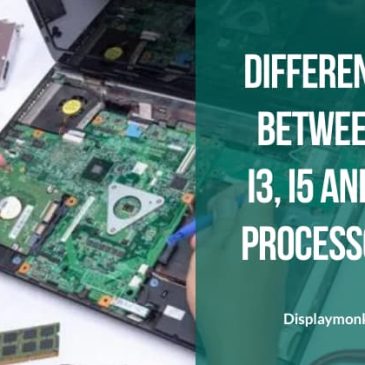
Difference Betwee Core i3 i5 and i7


The difference between i3, i5, and i7 is depending on various factors such as cores, caches, and threading. Firstly, we will go for checking for the main difference factors between Intel core i3 i5 and i7 Processors:

Cores Number

The more core there are in the CPU the more task can be served at the same time. This task is also known as Thread.

Turbo Boost

In Short, The Intel Turbo Boost Technology allows a processor to dynamically increase its clock speed whenever the need arises.

Cache size

Whenever the CPU finds that it keeps on using the same data over and over, it stores that data in the cache. The cache is just like RAM, only faster – because it’s built into the CPU itself. You can know more about the components of the CPU and the Identification of the CPU and its sockets.

Hyperthreading

Intel has introduced a technology called Hyper-Threading. This enables a single core to serve multiple threads.


What are the Changes In CPU By Intel Generation Wise

As generations of intel CPU chips grows there are absolute changes that have been made by the company. Below are changed by the company as the CPU upgraded :

  1. Introduced Nano Technology
  2. CPU core power also increased
  3. Number of cores increases
  4. Integration of graphics chip
  5. Integration of controller chip
  6. Cache memory increases
  7. Clock speed increases


What is the difference between Intel Core i3 i5 and i7 processors

i3 i5 i7
Cores 2 4 4
Threads 2 4 8
Turbo No 3.8ghz 4ghx
L3 cache 3MB 4MB 8MB


Difference between different generations of processors

Intel CPU Generations are code names for Intel CPU. They are given below.


Code Name Process Features Generations
Westmere (2010) 32nm 1st Generation CPU which is 20% faster than core 2 duo. Secondly, the memory controller is integrated into the CPU. 1st Generation
Sandy Bridge (2011) 32nm Integrated graphics and increased cache memory. Secondly, it is 10% faster than the 1st generation. 2nd Generation
Ivy Bridge (2012) 22nm Firstly, the basic difference is the DIE shrunk in size compared to Sandy Bridge. Moreover, it male improvement in graphics capability, and is targeted toward mobile applications. 3rd Generation
Haswell (2013) 22nm It has integrated PCH and a graphic chip. 4th Generation
Broadwell (2014) 14nm Firstly the basic difference is the DIE shrunk in size compared to Haswell to 14nm, which made an improvement in Thermal Design Power [TDP] 5th Generation
Skylake (2015) 14 nm This redesign gave better CPU and GPU performance. Secondly, It reduces power consumption. 6th Generation
Kaby Lake (2015) 14 nm Firstly, Kaby Lake is built on an improved 14nm process. Secondly, Kaby Lake features faster CPU clock speeds. Thirdly, the Clock speed get changes. Fourthly, Kaby Lake gets a higher Turbo frequency. Lastly, Kaby Lake is the first core architecture to support hyperthreading for the Pentium-branded desktop CPU SKU. 7th Generation
Coffee Lake 14 nm Coffee Lake has increased the core count. 8th Generation
Ice Lake 10 nm Ice Lake is firstly built on the Sunny Cove microarchitecture. Secondly, It has other features like :

  1. a 50% increase in the size of the L1 data cache,
  2. larger L2 cache,
  3. more microOP cache,
  4. increased 2nd level Thermal Design Power.
  5. Increased core width,
  6. Increment in execution ports (8 to 10),
  7. L1 store bandwidth doubled.
9th Generation
Comet Lake 10 nm Firstly, it consists of 10th Generation Intel Core processors. They deliver the following features:

  1. improved productivity and stunning entertainment,
  2. Including up to 5.3GHz,
  3. Intel Wiki 6,
  4. Thunderbolt 3 technology,
  5. 4K HDR,
  6. Intelligent System optimization.
10th Generation


You can also look for a laptop chip level repairing guide or desktop chip level repairing guide.


Thank you for your visit.

Filed Under: laptop desktop chip level repair help guide Tagged With: Desktop Motherboard Repair, Difference Between Intel Core i3 i5 and i7 Processors, Laptop Motherboard Repair, laptop motherboard repair guide

Components Of The CPU And Identification

April 12, 2022 by displaymonk

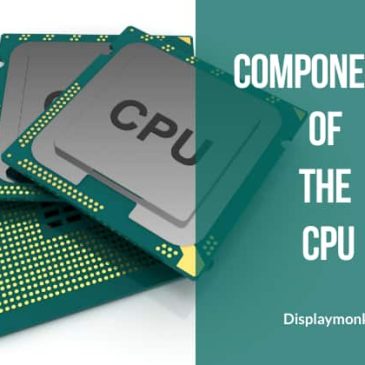
components of the CPU and identification

In the below sections, we are going to see the components of the CPU and identification.

A Central Processing Unit is a full form of CPU form. It is also called a central processor or main processor. also, It is the electronic circuitry within a computer that executes instructions that make up a computer program.

Secondly, The CPU performs basic arithmetic, logic, controlling, and input/output (I/O) op[erations specified by the instructions.

Registers

Registers are small holding areas of the processor chip. Secondly, Register holds data such as

  1. Counters,
  2. Data,
  3. Instructions,
  4. Addresses ALU (Arithmetic and Logical Unit).

Processor internal memory caches (L1, L2, L3)

Processor internal memory caches hold data and instructions also, ALU processes these instructions and data.

Busses

Basically, Busses are a component in the CPU that carries data and instructions. There are 3 kinds of buses in CPU:

  1. Front Side Bus (FSB)
  2. Internal Bus
  3. Back Side Bus

Processor Frequency (Speed)

Processor frequencies are the speed at which a processor operates internally.


What CPU Needs To Work

CPU needs the following 5 things to work:

voltages

There are voltages like DDR power, VTT power (system), CORE voltage & GFX voltages are used.

Power Good

Power Good is confirming the signal to inform the CPU that all power is stable.

RESET

RESET is a signal which clears all junk information.

CLOCK

The clock is a timing signal in form of frequency.

DMI

Firstly, the DMI bus gets activated after the CPU receives all the above signals. Then DMI bus access PCH.

You can also check for other kinds of checks that need to motherboard run.


Identification Of Intel CPU

A sSpec number is a specification number. It’s a fixed character string printed on the processor and used for identification. Secondly, By looking at the markings on the processor you can find the sSpec number. Moreover, SL36W and XL2XL are some of the examples of sSpec numbers.

You can also check how to identify components in the laptop motherboard which will be useful when you open the motherboard of the laptop/desktop for finding the CPU.


CPU Types And Sockets

Motherboards are subcategorized by the type of processor socket they have. Secondly, The processor socket (also called a CPU socket) is the connector on the motherboard that houses a CPU and forms the electrical interface and contact with the CPU. Finally, There is their type of CPU sockets are given below:

1. PGA :

In this PGA-type processor, sockets use a pin grid array (PGA). Secondly, we say their socket is PGA where pins on the outside of the processor are connected to holders in the processor socket.

2. LGA :

Land Grid Array (LGA) is a type of surface-mount packaging for CHIPS that is notable for having the pins on the socket (when the socket is used) rather than the integrated circuit. An LGA can be electrically connected to a printed circuit board (PCB) either by the use of a socket or by soldering directly to the board.

3. BGA :

Ball grid array (BGA) is a type of surface-mount packaging ( a chip carrier) used for integrated circuits. Second, BGA packages are used to permanently mount devices such as processors.


CPU Generations And Sockets

CPU generations get change according to the years they were manufactured. So there are given below CPU sockets and their generation Intel code names and supported PCH.

1. LGA 775 :

LGA 775 is a dual-core, core 2 due or quad-core CPU. It is used in

  1. G31,
  2. G41 motherboard.

2. LGA 1156 :

LGA 1156 is the core 1st generation CPU. Secondly, It is also called Westmere or Clarkdale. It is used in

  1. H55,
  2. P55,
  3. H57,
  4. Q57 motherboards.

3. LGA 1155 :

LGA 1156 is the 2nd and 3rd generation CPU. Secondly, It is also known as Sandy Bridge or Ivy Bridge. It is used in

  1. H61,
  2. H67,
  3. P67,
  4. Z68,
  5. B75,
  6. Q75,
  7. Z75,
  8. H77,
  9. Q77,
  10. Z77 motherboards.

4. LGA 1150

LGA 1150 is the 4th and 5th generation CPU. It is also known as Haswell or Broadwell. It is used in

  1. H81,
  2. B85,
  3. Q85,
  4. H87,
  5. Z87,
  6. Z97,
  7. H97 motherboards.

5. LGA 1151

LGA 1151 is used for 6th generation up to 9th generation CPU.

6th generation Skylake CPU uses :

  1. H110,
  2. B150,
  3. Q150,
  4. H170, and
  5. Z170 motherboards

7th generation Kaby Lake uses :

  1. B250,
  2. Q250,
  3. H270,
  4. Z270 motherboards.

8th generation Coffee Lake / Ice Lake CPU uses :

  1. H310,
  2. B365,
  3. B360,
  4. H370,
  5. C246,
  6. Q370,
  7. Z390 motherboards.


Types of sockets:

1. mPGA478MT (Socket M)

mPGA478MT socket uses intel core solo, intel core duo, intel dual-core Xeon, and intel core 2 duo processors.

2. mPGA478MN (Socket P)

mPGA478MN socket uses intel core 2 processors.

3. Socket 479

Socket 479 socket uses Intel Pentium M and Intel Celeron M processors.

4. Socket 478MB

Socket 478MB socket uses Celeron Pentium 4 Pentium 4-M processors.

5. Core I CPU Sockets

rPGA989, rPGA988A, rPGA988B are some of G1,G2,G3 generations sockets names.

So in this way, we learned about components of the CPU and identification.


Also can do  hot and cold testing which is part of doing laptop chip level repairing or desktop chip level repairing.


Thank you for your visit.


Filed Under: laptop desktop chip level repair help guide Tagged With: Components Of The CPU And Identification, CPU, Laptop Motherboard Repair, laptop motherboard repair guide

Regulated Power Supply In Motherboard

April 8, 2022 by displaymonk

Types Of Regulated Power Supply


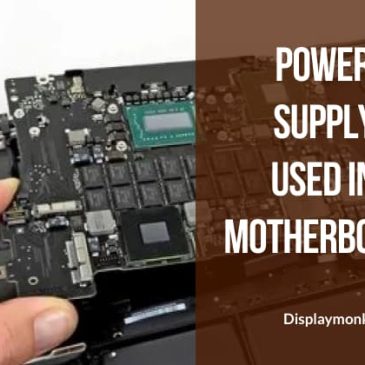
Motherboard chips require normally 1.05volt, 1.5volt, 3.3volt, and 5-volt power supply. But, the Laptop Adapter Charger Repair gives 18 volts or 19 volts these volts to regulate. We can see them in the laptop chip level repair guide. Here we are going to see Regulated Power Supply In Motherboard. There are two types of regulated power supplies:

  1. Line regulator,
  2. Buck converter regulator


Linear Regulator Power Supply

Linear Regulator Power Supply Used In Motherboard

Linear component is used in a linear regulator to regulate the output. An example of a linear component is Resistive Load.


Buck Converter Power Supply

Buck Convertor In Regulated Power Suplly Used In Laptop Motherboard

A buck converter is a DC to DC power converter that steps down the voltage from its input to its output.

It is a class of switched-mode power supply typically containing at least two semiconductors and at least one energy storage element, a capacitor, coil, or the two in combination.

The circuit for the buck convertor operates by varying the amount of time in which the inductor receives energy from the source.

In the basic block diagram, the operation of the buck converter or buck regulator can be seen that the output voltage appearing across the load is sensed by the sense/error amplifier and an error voltage is generated that controls the switch.

Typically the switch is controlled by a pulse width modulator However, The switch remains longer as more current is drawn by the load.

Lastly, mostly there is a fixed frequency oscillator to drive the switching.


Typical Buck Converter

Below types of buck convertors are there in desktop and laptop motherboards.

In a buck converter, two MOSFETS use for switching voltages. One PWM chip uses to trigger these two MOSFET

alternatively.

Coil gets switching voltage as a load current. Capacitors use there to filter and store voltage.

That’s it guys, if you want to know about the basics of laptop repairing or brush up on them then you can check our basic guide for laptop repairing.


Finally, You can also check our other laptop preparing help guides.


thank you for your visit…


Filed Under: laptop desktop chip level repair help guide Tagged With: Laptop Motherboard Repair, laptop motherboard repair guide, types of power supply

Laptop Desktop Repairing Architecture Structure

April 7, 2022 by displaymonk

What Is Computer Architecture

Computer architecture is firstly made up of different components which we will give in online guide for structure of laptop for reparing.

When all the components are collectively represented then it’s called the entire computer architecture. Components present there has a variety like,

  1. CPU,
  2. NorthBridge,
  3. RAM,
  4. Hard Disk Drive,
  5. SouthBridge,
  6. BIOS,
  7. Super IO, etc.

In the following sections, we are going to see information about Computer architecture sections like:

  1. Bus Architecture,
  2. Form Factor,
  3. Chipset,
  4. Repair Flowchart,
  5. Schematic Diagram,

Computer Bus Architecture

Bus In Computer Architecture

In computer architecture, a bus is a communication system that transfers data between chips inside a motherboard, or between computers.

Secondly, This expression covers all related hardware components (wire, optical fiber, etc.) and software, including communication protocols.

Lastly, some common buses are FSB, DMI, SPI, LPC, etc.

Form Factor In Computer Architecture

form factor computer architecture

With the advancement in technology computer motherboard has been dramatically changed they differ in

  1. shape,
  2. size,
  3. compatibility,
  4. the capacity to hold the CPU.

There are many big companies which manufacture motherboards these days. They follow some common guidelines such as placement of CPU sockets, RAM slots, Expansion slots, USB, IDE, SATA Ports, and connectors.

These guidelines are called a Form Factor.

Role Of Chipset In Computer Architecture

Chipset In Laptop Motherboard

A chipset is a set of BGA chips known as a “Data Flow Management System”. Moreover, it manages the data flow between the CPU, RAM, BIOS, and peripherals. It is usually found on the motherboard.

Chipsets are usually designed to work with a specific family of processors.

Because it controls communication between the processor and external devices, the chipset plays a crucial role in determining system performance.

Secondly, The term chipset often refers to a specific pair of chips on the motherboard: the northbridge and the southbridge.

The northbridge links the CPU to very high-speed devices, especially RAM and graphics controllers, and the southbridge connects to lower-speed peripheral buses.

The southbridge contains some on-chip integrated peripherals, such as Ethernet, SATA, USB, and audio devices.

Newly, In some new generation motherboards, Intel merges the northbridge and southbridge other and makes a new chip called PCH which works both jobs.

Repair Flowchart

Repair Flowchart Computer Architecture

A flow chart is a combination of

  1. a common type of diagram, which represents an algorithm or process,
  2. showing the steps as boxes of various kinds,
  3. Order points 1 and 2 by connecting these with arrows.

Flowcharts are used in the career of laptop repairman to find out faults in laptop motherboard. To diagnose the motherboard you have to follow from top to bottom.

Schematic Diagram For Computer Architecture

Schematic Diagrams In Computer Architecture

When working with circuits, you will often find something called a schematic diagram.

These diagrams use symbols to illustrate electronic components in the circuit.

In conclusion, These symbols are graphic representations of the actual electronic components.

thank you for your visit…

Filed Under: laptop desktop chip level repair help guide Tagged With: Computer Architecture, Desktop Motherboard Repair, Laptop Motherboard Repair, laptop motherboard repair guide

Laptop Adapter Charger Repair

April 6, 2022 by displaymonk

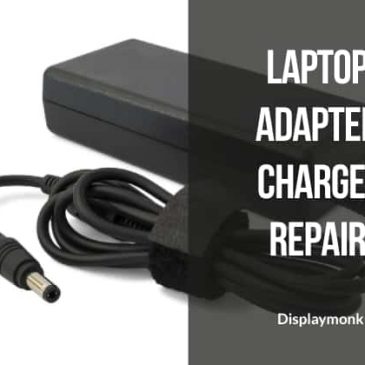
Laptop Adapter Charger Repair

A laptop adapter is made up of typically Lines filters, Bridge rectifiers, filter capacitors, MOSFETs, and transformers. We are going to see them in this guide for laptop adapter charger repair.

Before checking the adapter is faulty check for two things:

  1. The switch to which the adapter is connected is ok.
  2. The power button is ON.

In this paragraph, we are going to see them one by one. Mostly there are chances that the switch itself is problematic. In that case, first, check for the switch. also, check for the power button is working or not. Sometimes the button is not working which makes the current not pass in the adapter.


Laptop adapter charger pin connector

laptop connector pin wire

There is 3 measurement in the laptop adapter pin :

  1. Outer
  2. Inner
  3. Adapter ID pin

In this paragraph, we will see about them. The outer part is measurable for the ground. Secondly, the inner part is a positive charge. Lastly, the center part has a pin (in some laptops) which is called an Adapter ID pin, Which works as a sensor. Dell adapter connector has sensor adapter ID pin present.


Adapter Charger Repair Guide

In this paragraph, we are going to see assuming you have to check previous things. First up open the adapter from the case. You can use a small amount of petrol for opening the case of the adapter. Then remove the small plastics within it. Now you have the adapter which is open and completely free.


Check 300v DC On The Filter Capacitor

Capacitors in laptop chip level repairing

Firstly check whether a 300v current is coming on the filter capacitor. The work of the filter capacitor is to filter the current and pass the pure DC current without the mix of AC current.

If you are unable to find 300v around the filter capacitor then.

check the fuse and bridge rectifier. One of them or both in some cases may not be working in laptop charger.


Check 12v DC On PWM Chip VCC Pin

MOSFET in laptop chip level repairing

Secondly, check for the 12 volt DC current is coming or not on the VCC pin of PWM. It is important for the PWM chip to work 12v current.

Secondly, if the 12v DC current is not coming then check for resister which is also called “voltage provider resister”.

Resisters in laptop chip level repairing


Check for output Diode

Diode in laptop chip level repairing

A diode is one of the most used elements in motherboards. Moreover, they are connected mostly toward the end of circuits for laptop adapter circuits. If they found it not ok then carry yourself to the next paragraph.

If in any case laptop adapter circuit diodes are not working then do yourself a favor and replace them.


Check Switching MOSFET And Replace The PWM Chip

laptop adapter repair mosfets

MOSFET is one of the best components used in laptop motherboard manufacturing. Secondly, check for the PWM chip (Pulse Width Modulator Chip) if it is problematic.

IF you found out that the PWM chip or MOSFET is faulty then replace them.


There are multiple ways to do laptop adapter charger repair easily. For becoming good laptop repairman you must know laptop adapter repairing also.


You can also check our other laptop preparing help guides.


thank you for your visit…


Filed Under: laptop desktop chip level repair help guide Tagged With: Laptop Adapter Charger Repair, Laptop Motherboard Repair, laptop motherboard repair guide

IC Types In Laptop Motherboard

April 5, 2022 by displaymonk

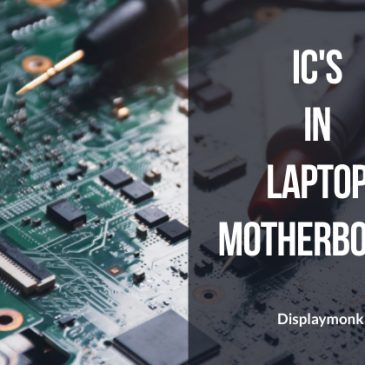
IC's in laptop motherboard

In this paragraph, we are going to learn about IC types available In the career for Laptop Motherboard for laptops.

An integrated circuit(IC), sometimes called a chip or microchip, is a semiconductor wafer on which thousands or millions of tiny resister, capacitors, and transistors are fabricated.

An IC can function as an amplifier, oscillator, timer, counter, computer memory, or microprocessor. A particular IC is categorized as either linear (analog) or digital, depending on its intended application.


There are different kind of IC’s Laptop Motherboard.


SMD type IC for laptop repair from home

SMD Devices Laptop

Is a method for producing electronic circuits in which the chips are mounted or placed directly onto the surface of the printed circuit board (PCBs). Moreover, An electronic device so made is called a surface-mount device (SMD).


BGA type of IC

BGA Devices

It is a kind of surface mount package that is used in electronic products.

Firstly, It is used to mount integrated circuits such as microprocessors, FPGAs, WIFI chips, etc. Secondly, The pins are in the form of solder balls that are arranged in a grid-like pattern.

Lastly, It is used under the surface of the packages to increase the area used for the connections rather than just the periphery.


You can have benefit from having knowledge about digital electronics which is a must for a repair technician.

There are different kinds of ICs available from different brands like ITE, MAX, Intel, etc.

The IC maker uses specific diagrams of the circuit to make an IC that is not available publically. Only some diagrams of available ICs are available online.

We also provided some schematics for ICs you can check that.


You can also check our other laptop preparing help guides.


thank you for your visit…


Filed Under: laptop desktop chip level repair help guide Tagged With: IC Types In Laptop Motherboard, Laptop Motherboard Repair, laptop motherboard repair guide

  • « Go to Previous Page
  • Go to page 1
  • Go to page 2
  • Go to page 3
  • Go to page 4
  • Go to page 5
  • Go to Next Page »

Primary Sidebar

Search On Website

Laptop Desktop Chip Level Help Guide

  • Windows 10 Restarts After Shutdown

    Windows 10 Restarts After Shutdown

    March 24, 2025

  • T.VST59.031 Firmware Software

    T.VST59.031 Firmware Software Download Latest

    March 18, 2025

  • Mobile and Tablet Repairing Institute Class in Ratnagiri, Maharastra

    Mobile and Tablet Repairing Institute Class in Ratnagiri, Maharastra

    December 14, 2024

  • Laptop and Computer Repairing Institute in Ratnagiri, Maharastra

    Laptop and Computer Repairing Institute Class in Ratnagiri, Maharastra

    December 14, 2024

  • pm-modi-lic-sakhi-yojana

    LIC’s Bima Sakhi Yojana 2025: How To Apply?

    December 12, 2024

Footer

Mobile Repair

We do mobile repairing.

Learn more about mobile repairing service.

Laptop Repair

We laptop repairing.

Learn more about laptop repairing service.

TV Repair

We do TV repairing.

Learn more about tv repairing service.

Copyright © 2025 · DisplayMonk

  • Home
  • About Us
  • Repair Tips
  • Schematics Bios
  • Course
  • Online Jobs
  • Tools
  • Enquiry / Contact